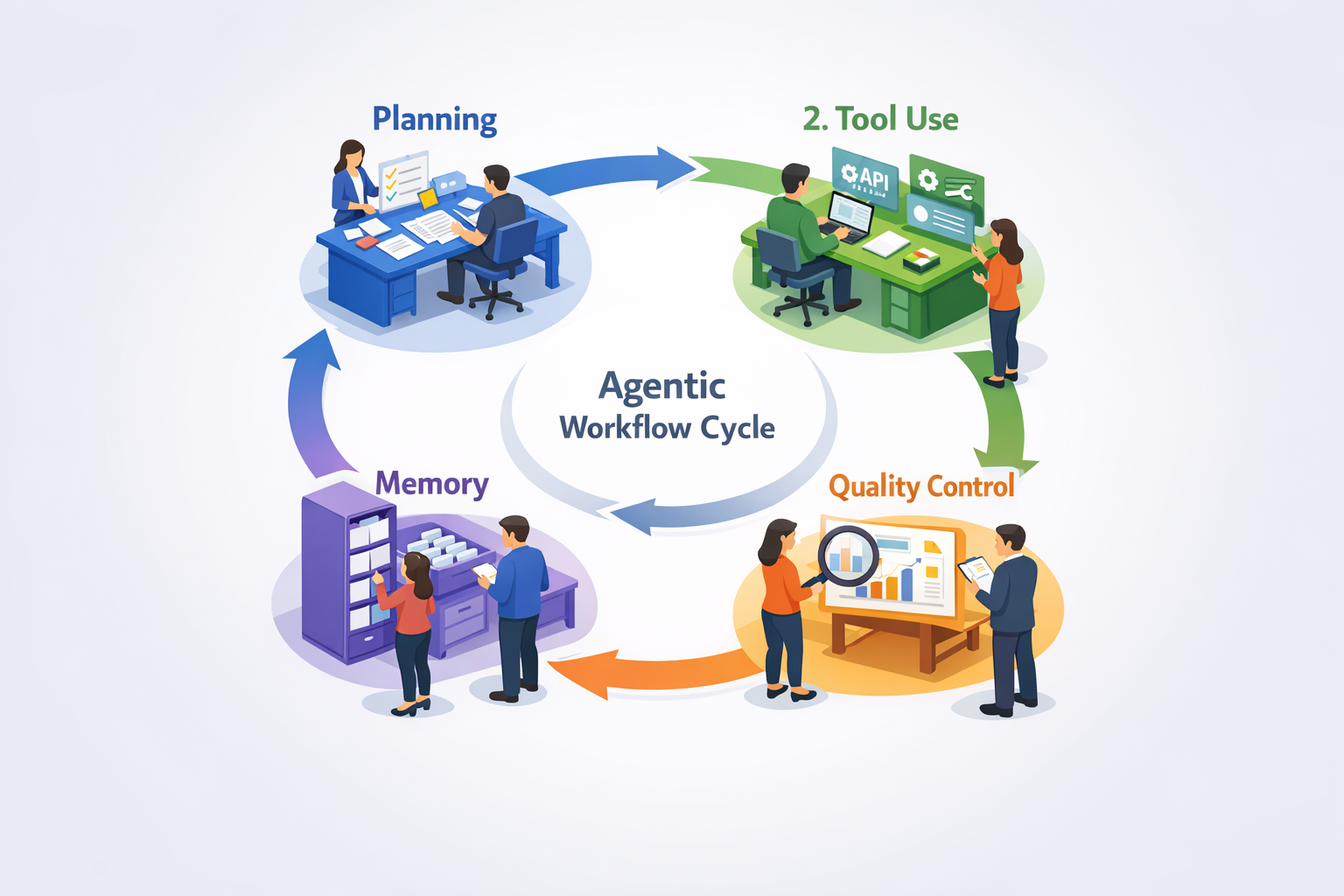
What Are Agentic Workflows? (And Why Should You Care?)
A practical guide to AI systems that plan their own approach, use tools autonomously, and learn from results
📑 Table of Contents
You know that feeling when you have to babysit a process that should run on its own but somehow always needs your input? Maybe it's approving expense reports that are 99% straightforward, or monitoring data pipelines that occasionally hiccup, or checking invoices that should match purchase orders but sometimes don't.
That's where agentic workflows come in. Instead of traditional automation that blindly follows a script until something breaks, agentic workflows use AI systems that can actually plan their own approach, use the tools they need, check their own work, and remember what worked for next time.
Think of it as the difference between an intern who needs step-by-step instructions versus an experienced colleague who understands the goal and figures out how to get there. These systems aren't magic—and they definitely don't work 100% of the time (we'll talk about that honest 60% failure rate in a bit)—but when they're set up right, they're handling real work at companies like Allianz, major banks, and accounting firms using QuickBooks AI.
How Agentic Workflows Actually Work
The core of an agentic workflow is a continuous loop: Planning → Tool Use → Reflection → Memory. Let me break down what that actually means without the buzzwords.
Planning: The AI agent starts by figuring out what needs to happen. It's like a project manager scoping out the work—"Okay, to process this insurance claim, I need to pull the policy details, check the claim against coverage limits, and flag anything that looks unusual."
Tool Use: Then it actually does the work. This means accessing APIs, querying databases, generating reports, extracting data from documents—whatever tools are available to accomplish the task.
Reflection: Here's where autonomous AI workflows get interesting. The agent doesn't just spit out a result and call it a day. It checks whether the output makes sense. Did the numbers add up? Are there inconsistencies? Does this result match the expected pattern based on previous similar tasks?
Memory: Finally, it remembers what worked. If a particular approach to categorizing expenses led to accurate results, it reinforces that pattern for next time. If something failed, it learns to avoid that path.
The whole system is self-directed in a way traditional automation never was. You're not telling it "if this, then that" for every possible scenario. You're giving it a goal and letting it figure out the best route to get there.
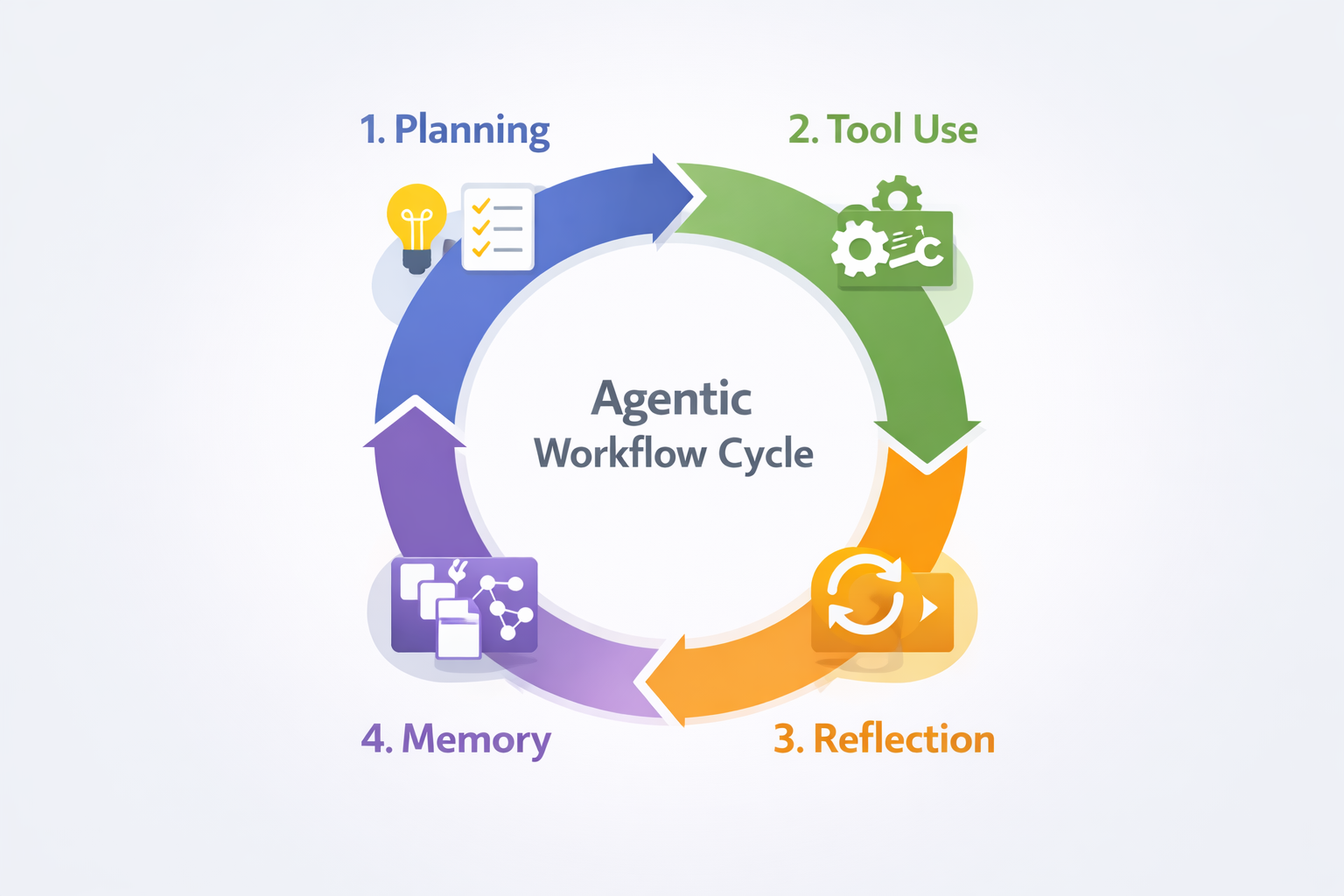
The four-step agentic workflow loop: continuous planning, execution, reflection, and learning
Real Examples: Where Agentic Automation Is Working
Let's get specific, because this only matters if real companies are actually using it.
Insurance Claims Processing: Allianz deployed agentic workflows to handle claims. The AI agents read claim documents, cross-reference policy details, identify inconsistencies, and flag cases that need human review. What makes this "agentic" rather than just automated is that the system adapts to different claim types, figures out which data sources to check, and validates its own conclusions before passing results along.
Banking Workflows: Major banks are using AI agents for business workflows like KYC (Know Your Customer) verification, transaction monitoring, and compliance checks. Instead of rigid rule-based systems that break when regulations change, these agents autonomously gather data from multiple sources, assess risk, and adjust their approach based on what they find.
Accounting Integration: QuickBooks introduced AI features that process invoices 80% faster than manual entry. The agent extracts data from invoice documents, categorizes expenses based on context (not just keywords), and flags anomalies like duplicate charges or unusual amounts. Some implementations report 30-40% cost reductions in accounts payable operations.
Agentic workflows are in production across industries:
- Legal: Contract review and clause extraction
- HR: Resume screening and interview scheduling
- Retail: Inventory forecasting based on multiple demand signals
- Healthcare: Patient data reconciliation across systems
- Professional Services: Automated report generation that adapts to client requirements
These aren't sci-fi demos. They're in production right now, handling real business operations.
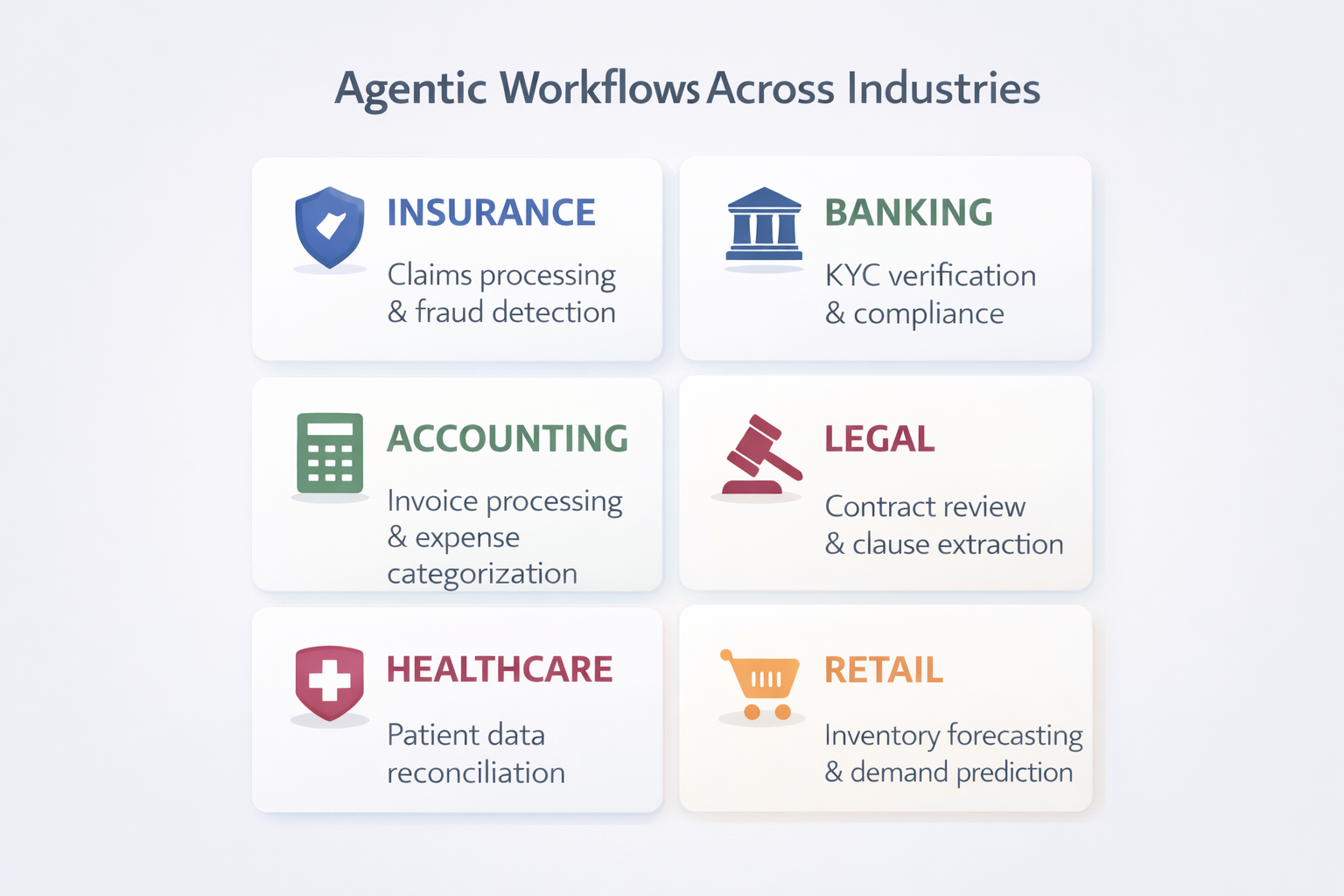
Real-world applications of agentic workflows across multiple industries
The Honest Truth: Why 60% of Agentic Workflow Projects Fail
Here's the part most articles skip: 60% of agentic automation projects don't make it to production. I'm not saying that to scare you off—I'm saying it because understanding why they fail is how you end up in the 40% that succeed.
The most common reasons:
Poor data quality. These agents need clean, structured data to work with. If your CRM is full of inconsistent entries or your invoices come in 12 different formats with no standardization, the agent will struggle to find patterns.
Unclear objectives. "Automate everything" isn't a strategy. The projects that work have specific, measurable goals: "Reduce invoice processing time by 50%" or "Flag 95% of compliance issues without false positives."
Integration complexity. Legacy systems weren't built to talk to AI agents. Sometimes the effort to connect everything is more expensive than the automation itself.
Unrealistic expectations. Expecting 100% accuracy out of the gate is a setup for disappointment. Even the best agentic workflows need tuning, human oversight, and time to learn.
Lack of guardrails. These systems still need human oversight. The ones that fail often either have too much human involvement (defeating the purpose) or too little (leading to errors that erode trust).
So here's the question worth asking:
If 60% of projects fail, how do you make sure yours is in the 40% that succeed?
The answer usually comes down to proper scoping, data readiness, and clear success metrics. The companies seeing results didn't start by trying to automate everything—they picked one high-value, well-defined process and proved it worked before scaling up.
What Makes Agentic Workflows Different From Regular Automation?
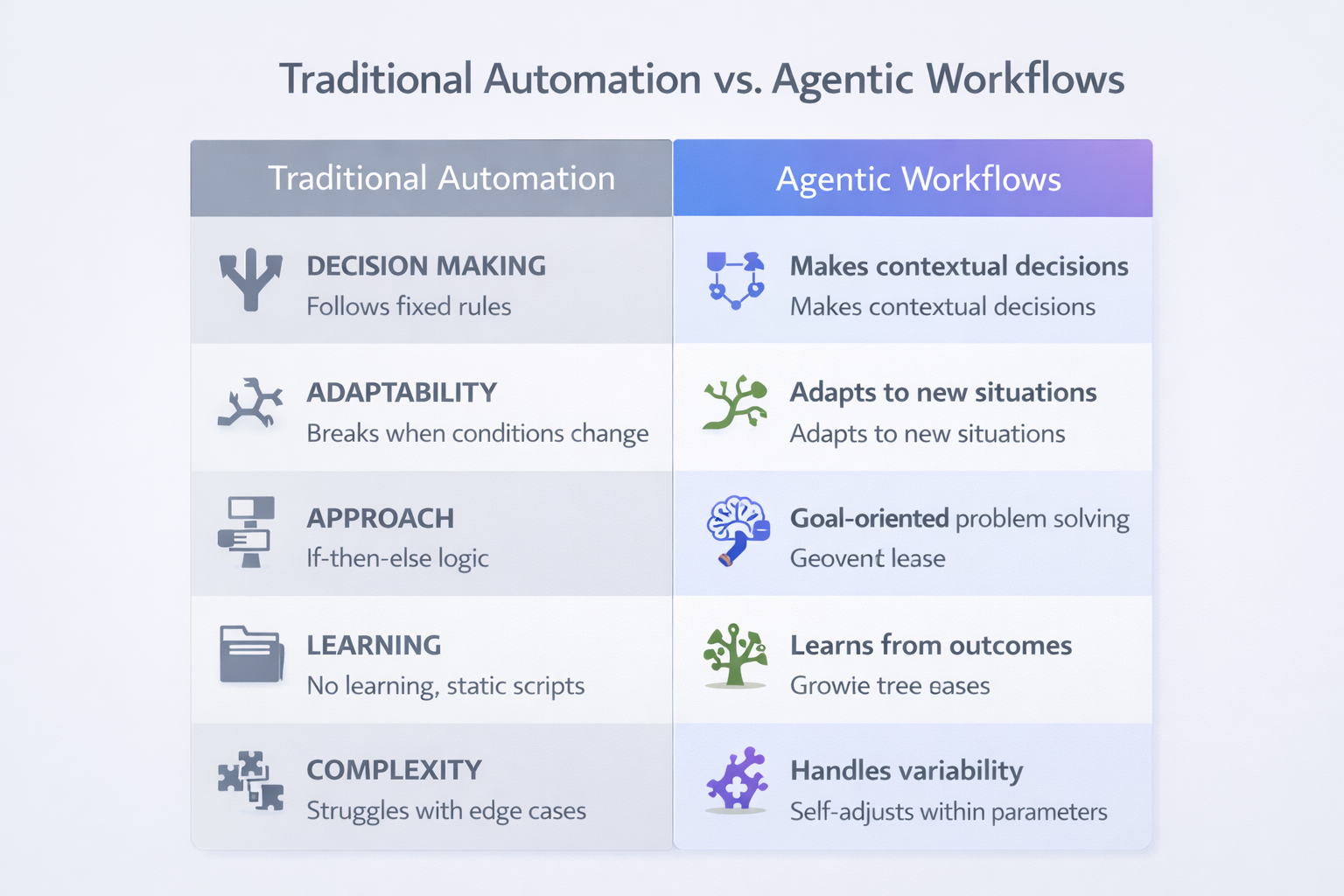
Traditional automation vs agentic workflows at a glance
If you've been in business for a while, you've probably already tried automation—RPA tools, Zapier workflows, scripted integrations. So what makes this different?
Old-school automation works like a flowchart. It follows rigid if-then paths: "If the invoice total is under $500, auto-approve. If it's over, send to manager." It works great until something changes—a new vendor format, an edge case the script didn't account for, a system update that breaks the integration.
Agentic workflows work more like a competent employee. You give them a goal—"Process these invoices"—and they figure out the approach. They adapt to new situations, choose different paths based on what they encounter, and learn from mistakes.
The key differentiator is decision-making capability. Traditional automation says "Do exactly this." Agentic workflows say "Figure out how to accomplish this goal."
Think of it like GPS navigation. The old way only knew one route and freaked out if you missed a turn. The new way reroutes on the fly when traffic changes.
Which brings up another question worth considering:
What tasks in your business require judgment calls—not just following steps?
Those are your candidates for agentic workflows.
Is This Right for Your Business?
Not every process is a good fit for agentic workflows (at least not yet). Here's how to think about it:
Good candidates:
- High-volume repetitive tasks with some variability (if there's zero variability, basic automation is probably fine)
- Processes that pull data from multiple systems and require cross-referencing
- Workflows where quality checking is time-consuming but necessary
- Tasks that currently need constant human oversight but probably shouldn't
Not ready yet:
- Highly creative work requiring human intuition and taste
- Processes with unclear or subjective success criteria
- Situations requiring empathy, emotional intelligence, or nuanced human judgment
- Mission-critical systems with zero margin for error (unless you're prepared for heavy oversight)
The practical approach? Start small. Pick one process, prove the value, then scale. Don't try to rebuild your entire operation at once.
Ready to Explore Agentic Workflows for Your Business?
Let's have a practical conversation about what's actually possible with agentic automation—no buzzwords, no overselling. We'll talk through your specific processes and figure out what makes sense for where you are right now.
Schedule Your Free Automation AssessmentThe Bottom Line
Agentic workflows represent a genuine shift from "automation that follows orders" to "automation that figures things out." They're not perfect, they're not for everything, but they're proving useful in the right applications.
Real businesses—insurance companies, banks, accounting departments—are seeing measurable results: 80% faster processing, 30-40% cost reductions, fewer errors, less time spent babysitting systems that should run themselves.
The key is going in with clear expectations. Understand the planning → tool use → reflection → memory loop. Know why 60% of projects fail so you can avoid those pitfalls. Start with a well-scoped pilot rather than trying to automate everything at once.
If you're wondering whether agentic workflows could make sense for your specific business processes, let's talk through it. No buzzwords, no overselling—just a practical conversation about what's actually possible and what makes sense for where you are right now.
Frequently Asked Questions
What is an agentic workflow?
An agentic workflow is an AI system that can plan its own approach, use available tools, check its own work, and learn from results. Unlike traditional automation that follows rigid if-then rules, agentic workflows adapt to new situations and figure out how to accomplish goals rather than just following predetermined steps.
How do agentic workflows differ from regular automation?
Traditional automation follows rigid flowcharts and breaks when something unexpected happens. Agentic workflows have decision-making capability—they adapt to new situations, choose different approaches based on what they encounter, and learn from mistakes. It's the difference between "do exactly this" and "figure out how to accomplish this goal."
What companies are using agentic workflows?
Major companies using agentic workflows include Allianz for insurance claims processing, major banks for KYC verification and compliance checks, and QuickBooks for accounting automation. Industries adopting agentic workflows include legal (contract review), HR (resume screening), retail (inventory forecasting), healthcare (patient data reconciliation), and professional services (report generation).
Why do 60% of agentic workflow projects fail?
Common reasons for failure include poor data quality, unclear objectives, integration complexity with legacy systems, unrealistic expectations for accuracy, and lack of proper guardrails for human oversight. Successful projects have specific measurable goals, clean structured data, proper scoping, and start with one well-defined process before scaling.
What are the four steps in an agentic workflow loop?
The four steps are: 1) Planning - the AI agent figures out what needs to happen; 2) Tool Use - it executes the work using available APIs, databases, and tools; 3) Reflection - it checks whether the output makes sense and validates results; 4) Memory - it remembers what worked and learns patterns for future tasks.
What types of business processes are good candidates for agentic workflows?
Good candidates include high-volume repetitive tasks with some variability, processes requiring data from multiple systems, workflows where quality checking is time-consuming, and tasks needing constant oversight. Poor fits include highly creative work, processes with unclear success criteria, situations requiring empathy, and mission-critical systems with zero margin for error without heavy oversight.
What results are companies seeing from agentic workflows?
Companies implementing agentic workflows report 80% faster invoice processing with QuickBooks AI, 30-40% cost reductions in accounts payable operations, fewer errors in compliance checks, and significantly less time spent monitoring systems. The key is starting with well-scoped pilots and having clear success metrics.
Do agentic workflows require human oversight?
Yes, agentic workflows still need human oversight, especially initially. The systems that fail often have too much human involvement (defeating automation's purpose) or too little (leading to errors that erode trust). Successful implementations find the right balance with proper guardrails while allowing the system to operate autonomously within defined boundaries.
Ready to Automate Your Business?
Let's discuss how we can streamline your workflows and boost productivity
Get Free Consultation